Unlocking Digital Creativity: A Comprehensive Guide to Firstype Procreate Lettering Brushes
In the rapidly evolving landscape of digital art, the line between traditional craftsmanship and modern technology has never been more blurred. For artists, designers, and hobbyists alike, the quest for authentic, hand-crafted aesthetics in a digital environment is a constant pursuit. Enter Firstype Procreate Lettering Brushes, a specialized toolset designed specifically to bridge this gap within the popular iOS application, Procreate. Whether you are a seasoned calligrapher looking to digitize your workflow or a beginner eager to explore the world of typography design, understanding the nuances of these brushes is essential for unlocking their full potential.
The Specificity of Digital Tools: Why Platform Matters
Before diving into the artistic capabilities of the Firstype collection, it is crucial to address a fundamental technical reality that often confuses new users: software compatibility. Digital art tools are not universally interchangeable across all platforms. It is imperative to understand that Firstype brushes are exclusively designed for the Procreate app on iOS devices. They do not work in Photoshop, Illustrator, or any other desktop-based graphic design software.
This specificity is not a limitation but rather a feature. Procreate utilizes a unique engine for handling brush dynamics, pressure sensitivity, and tilt recognition that differs significantly from Adobe’s ecosystem. By focusing solely on Procreate, the developers at Firstype have been able to optimize every stroke, texture, and interaction to feel as natural as possible on an iPad with an Apple Pencil. Attempting to use these brushes in incompatible applications will result in errors or non-functional files, so ensuring you are working within the correct environment is the first step toward success.
A Versatile Toolkit for Every Style
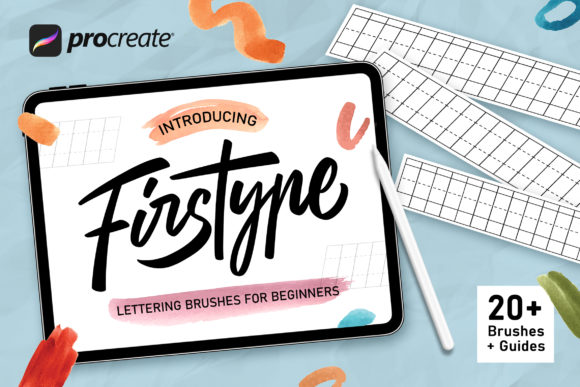
One of the standout features of the Firstype collection is its sheer versatility. The package includes 20 Firstype Lettering Brushes, curated to cover a wide spectrum of artistic styles and techniques. This diversity allows users to experiment without needing to purchase multiple separate packs. The collection is meticulously organized to help you find the right tool for the job, whether you are aiming for elegant script, bold headlines, or textured backgrounds.
Browse the Brush Types
The included brushes are categorized to suit various creative needs:
- Lettering Brushes: Perfect for creating clean, readable text with a human touch. These brushes mimic the flow of a marker or pen, making them ideal for journaling, quotes, and social media graphics.
- Calligraphy Brushes: Designed for those who appreciate the art of beautiful handwriting. These brushes respond dynamically to pressure, allowing for thick downstrokes and thin upstrokes, just like traditional dip pens.
- Watercolor Brushes: Capture the fluidity and transparency of real watercolor paints. These are excellent for adding soft, organic backgrounds or blending colors in a way that feels wet and alive.
- Lettering Texture Brushes: Add grit, grain, and character to your designs. These brushes simulate ink bleed, paper texture, and worn edges, giving digital lettering a vintage or tactile feel.
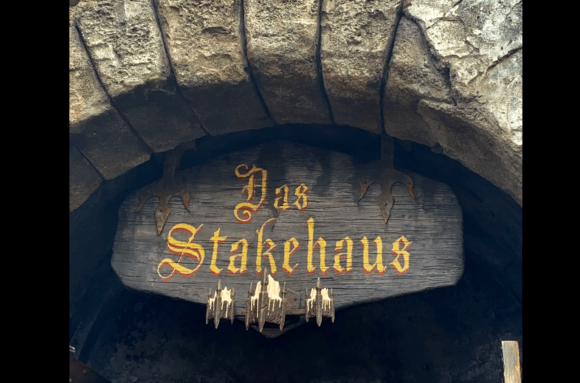
- Blackletter Brushes: Ideal for gothic and medieval-inspired designs. These complex brushes allow you to create intricate, historic-style lettering with minimal effort.
- Cartoon Brushes: Great for playful, bold outlines and fun, comic-style typography. These brushes offer consistent line weights and rounded ends, perfect for lighthearted projects.
- Sketch Brushes: Mimic the look of pencil or charcoal sketches. Use these for rough drafts, mood boards, or adding an unfinished, artistic charm to your final pieces.
- Lettering Guide Brushes: These unique tools act as visual aids, helping you maintain consistency in size, slant, and spacing while you practice or create custom fonts.
Guidance for Beginners: Learning the Ropes
For those new to digital lettering, the learning curve can sometimes feel steep. However, the Firstype Procreate Lettering Brushes for Beginners package is structured to make this transition smooth and enjoyable. Included in the download are 6 Lettering Guides. These are not just decorative elements; they are functional templates that sit behind your artwork, providing a grid or baseline to help you align your letters perfectly.
Using guides is a best practice in both traditional and digital calligraphy. They help train your eye to recognize proportion and rhythm. As you become more comfortable, you may choose to turn them off, but having them available ensures that your early attempts remain professional and polished. This support system empowers beginners to focus on the joy of creation rather than getting bogged down by technical precision immediately.
Compatibility and Ease of Use
A common concern among digital artists is the hassle of installing and configuring new brushes. Firstype has addressed this by ensuring that their brushes are ready to use out of the box. They are fully compatible with Procreate 5X as well as earlier versions of the app. This backward compatibility means that even if you haven’t updated to the latest version of Procreate, you can still enjoy the full range of features offered by the Firstype collection.
The installation process is straightforward. Once downloaded, the brush pack integrates seamlessly into your Procreate library. You can organize them into folders for easy access, perhaps grouping the "Script" brushes separately from the "Bold" ones. Because the brushes are optimized for the specific hardware of iPads, they respond intuitively to the Apple Pencil’s tilt and pressure sensors, reducing the need for manual adjustments to brush settings.
Practical Applications in Modern Creativity
Why should you invest time in mastering these brushes? The applications are vast and extend beyond simple hobbyist projects. In today’s visual-first economy, custom typography is a powerful tool for branding and communication.
Small Business Owners can use these brushes to create unique logos, packaging designs, and social media content that stands out from generic template-based designs. Educators might use them to create engaging worksheets or presentation materials that capture students' attention. Hobbyists can use them for personal journals, greeting cards, and home decor prints. The ability to create high-quality, hand-lettered designs digitally saves time and money while offering unlimited editing capabilities.
Common Misunderstandings Clarified
It is important to clarify a few misconceptions about digital lettering. Some beginners believe that using digital brushes removes the "human" element from art. On the contrary, tools like Firstype are designed to enhance the human touch by simulating the imperfections and nuances of physical media. Another misconception is that you need expensive hardware to achieve great results. While an iPad and Apple Pencil provide the best experience, the skill lies in your hand movement and artistic vision, not just the device.
Conclusion: Start Your Journey Today
The Firstype Procreate Lettering Brushes represent a significant step forward for anyone looking to elevate their digital design skills. With a comprehensive suite of 20 brushes, helpful guides, and seamless compatibility with Procreate, this toolkit offers everything you need to start creating stunning lettering and calligraphy. Whether you are drawn to the elegance of blackletter, the playfulness of cartoon styles, or the sophistication of watercolor textures, there is a brush here for you.
Remember, mastery comes with practice. Use the included guides to build confidence, experiment with different pressures and angles, and most importantly, have fun. If you encounter any questions or need assistance during your creative journey, the creators encourage you to reach out. Support is readily available to ensure your experience is positive and productive.
Digital art is not just about the final image; it is about the process of discovery and expression. With Firstype brushes, you are equipped with the right tools to bring your ideas to life. So, open up Procreate, load your new brushes, and let your creativity flow. ENJOY with the Brush and watch your digital canvas transform into a masterpiece of typography and design.